Blog
How to find the Steam exchange link

Here are two ways to get a Steam trade link.
Via Browser:
If you’ve recently logged into Steam through a browser, you can get your offline trade link by visiting this link.
https://steamcommunity.com/my/tradeoffers/privacy
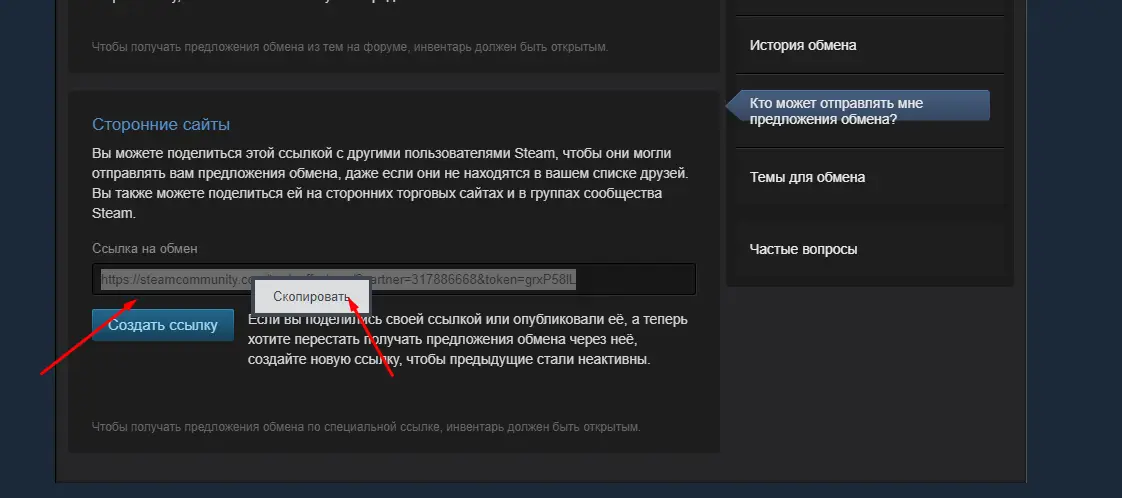
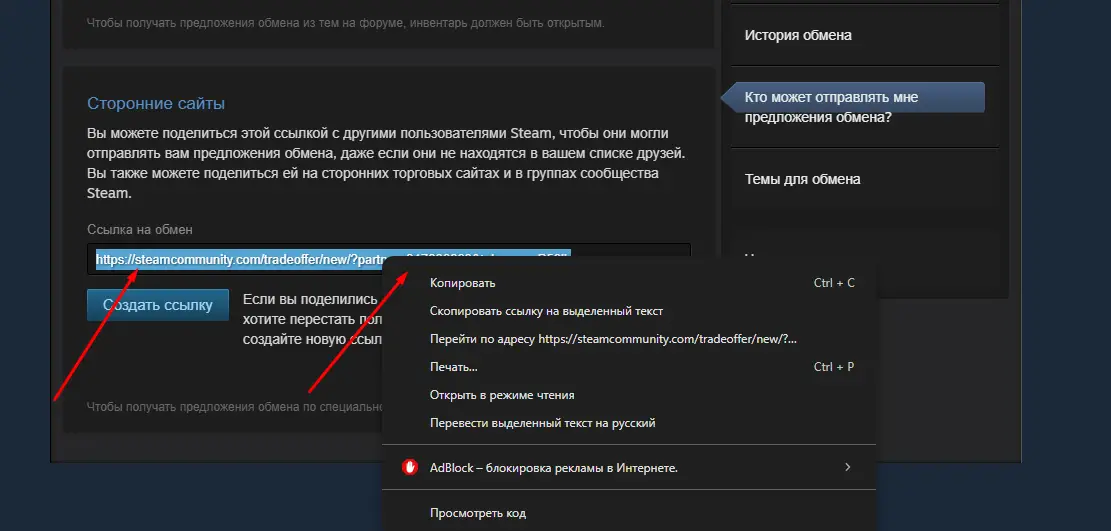
In the "Third-Party Sites" section, you’ll find the link you need. Copy and paste it onto the site that requests it.
Via Steam Client:
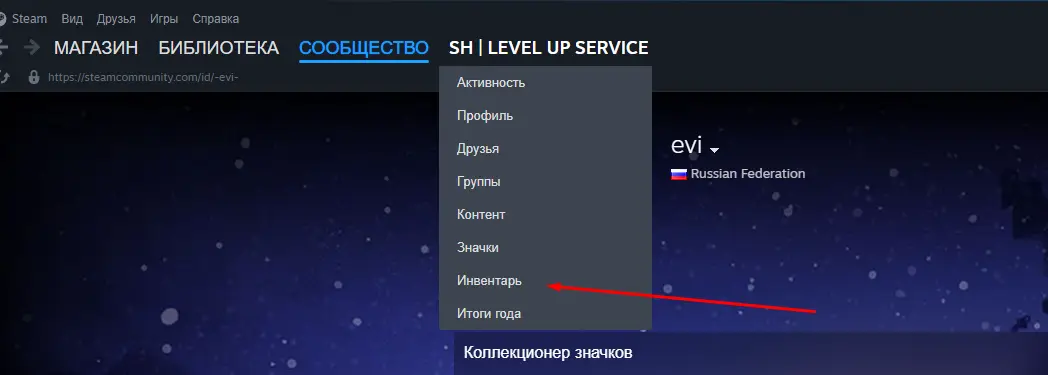
1. Click on your username in Steam and select "Inventory".
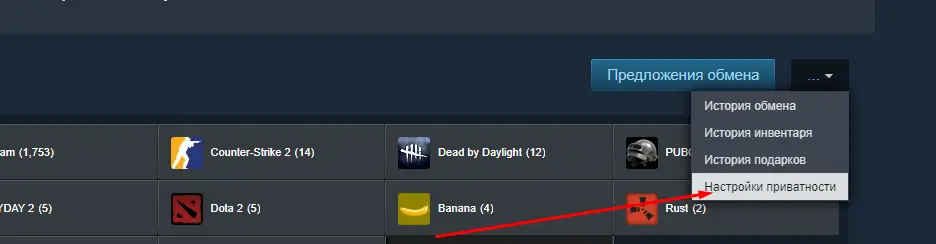
2. In the top-right corner, click the "More" button and select "Privacy Settings".
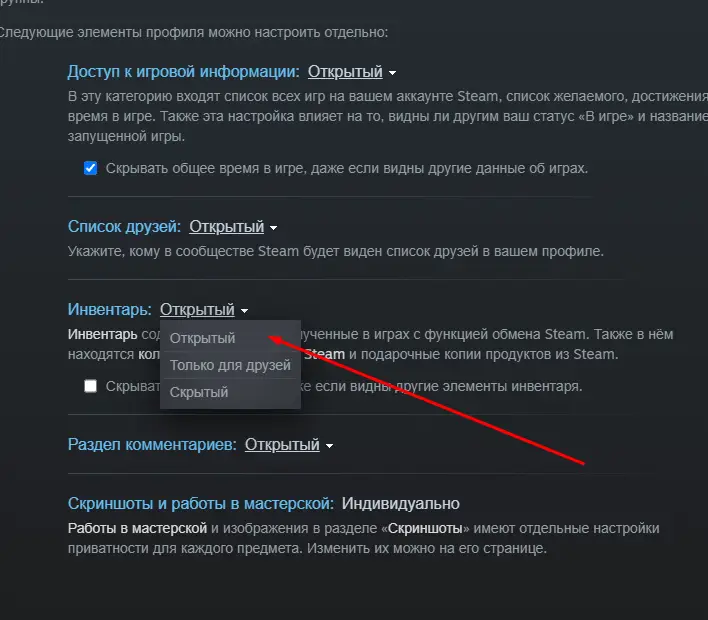
3. In the "Inventory" section, choose the "Public" option.
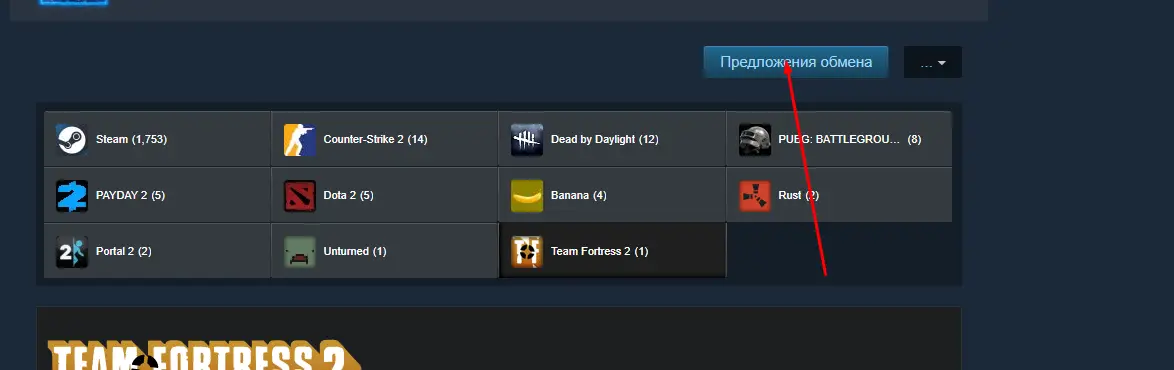
4. Click on your username again and select "Inventory".
5. Now click the "Trade Offers" button in the top-right corner.
6. In the list on the right, select "Who can send me trade offers?".
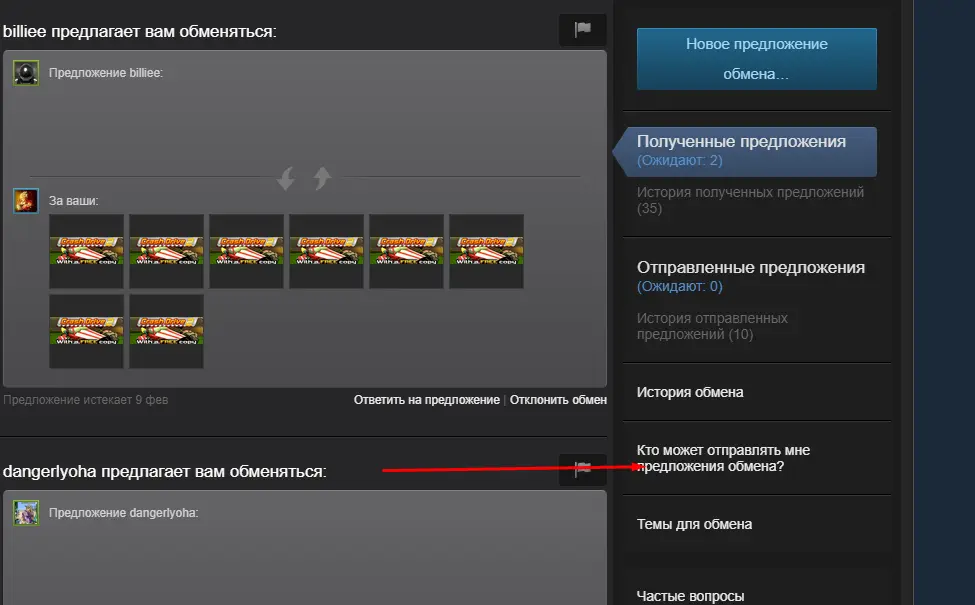
7. In the bottom section of the page, you’ll find the link you need.
8. Copy the link from the "Third-Party Sites" section.